The Google Ads mockup
generator built for approvals.
Get faster sign-off from clients so you can launch campaigns sooner. Share realistic ad mockups in one link: no more spreadsheets, no more screenshots.
Trail Runner Pro — 30% Off Spring Sale
Engineered for mud, rain and race day. Free 60-day returns. Trusted by 40,000 runners. Find your fit with our 2-minute trail quiz.
Spring Sale — Up to 30% Off
Season-best prices on trail icons
Trail Shoe Finder
Match the shoe to your terrain
Reviews & Ratings
40,000 runners can’t be wrong
Free 60-Day Returns
Run in them. Return them. Easy.
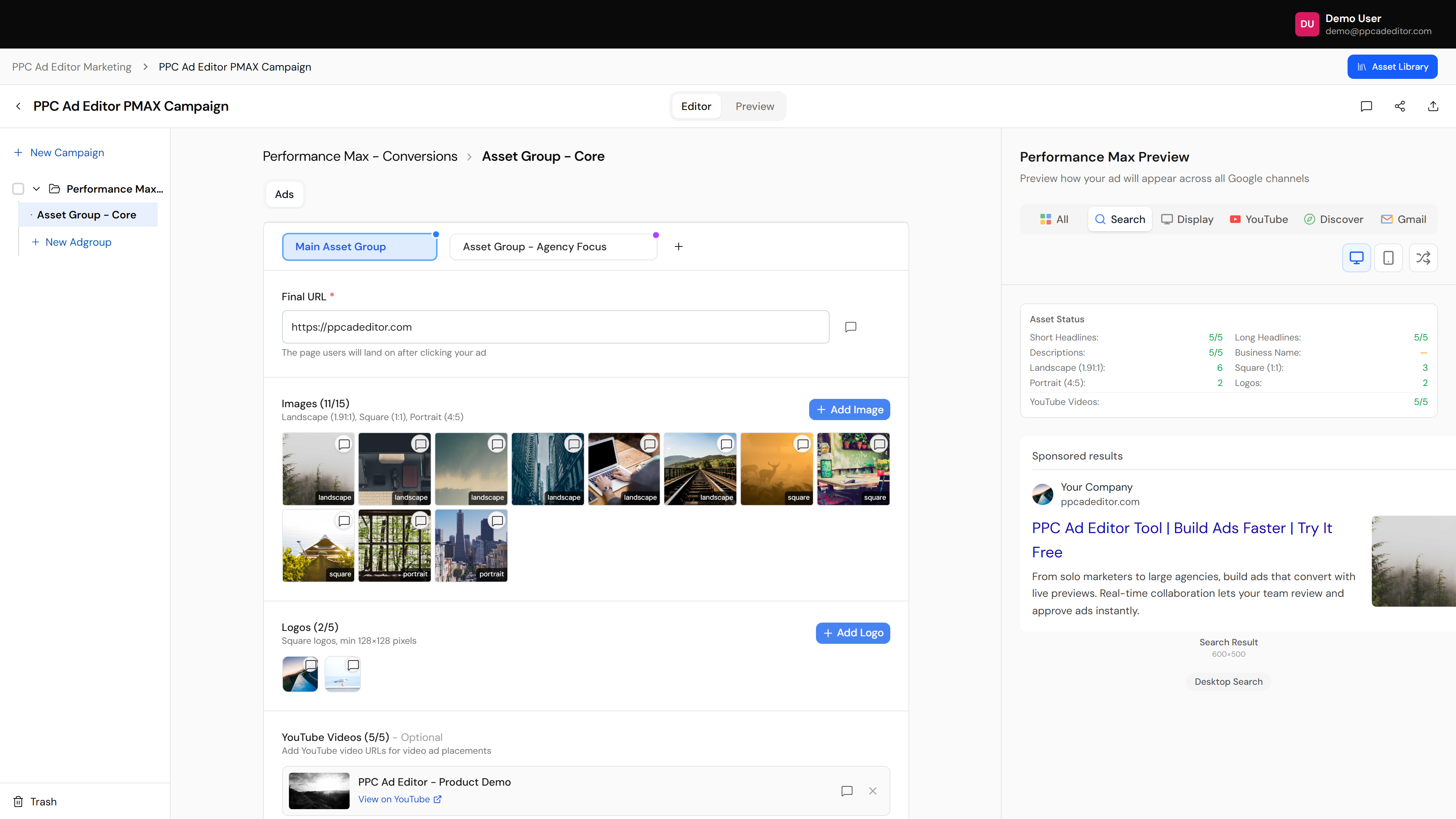
Create mockups for each Google format
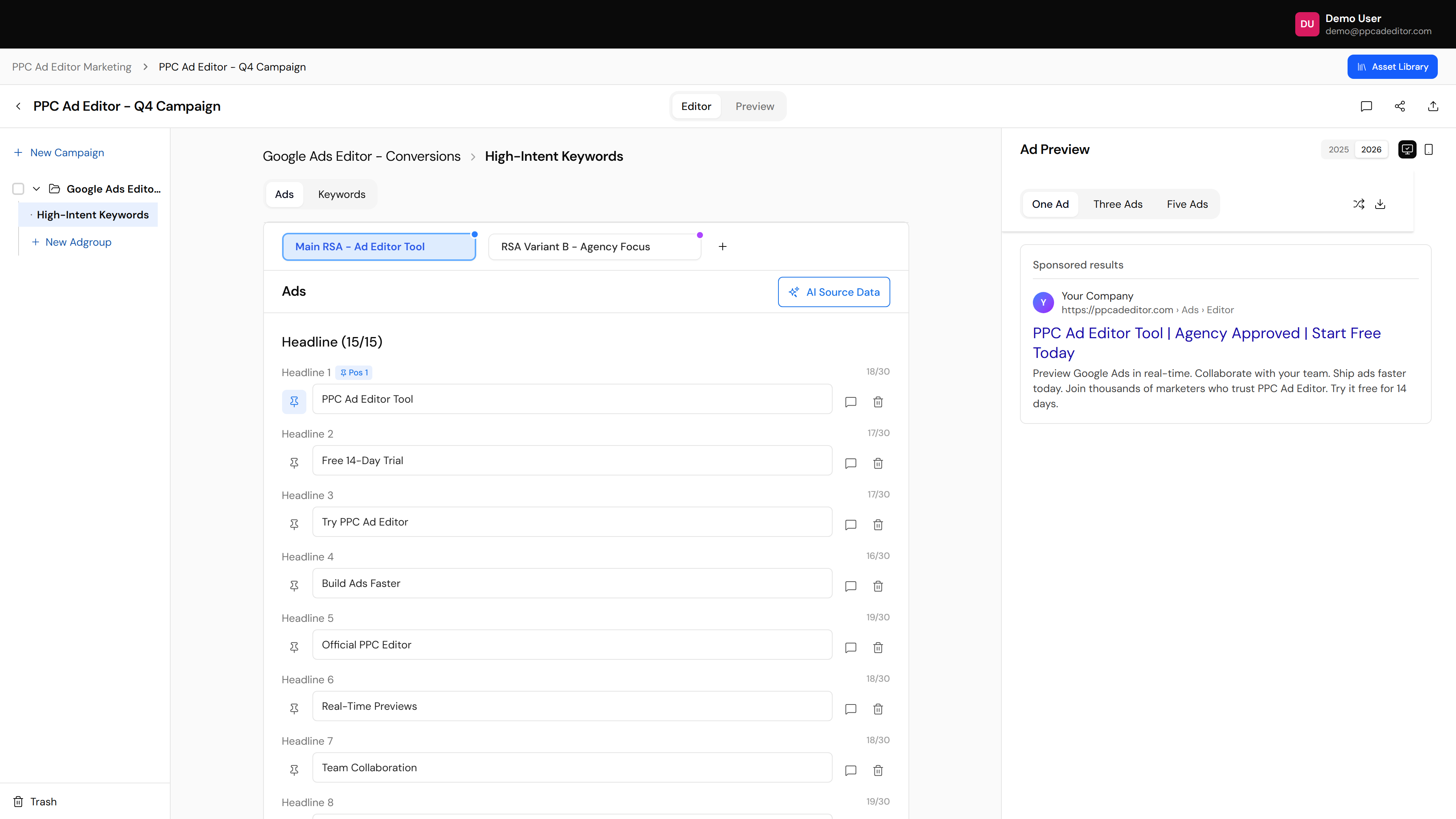
Build your campaigns visually
Forget spreadsheets. Use the visual ad builder to see each ad the way Google shows it, or import bulksheets and pull existing campaigns down from Google Ads into a preview.
- Visual builder with real-time preview
- Import from Google Ads Editor or Excel
- Shuffle RSA combinations and show one, three or five ads
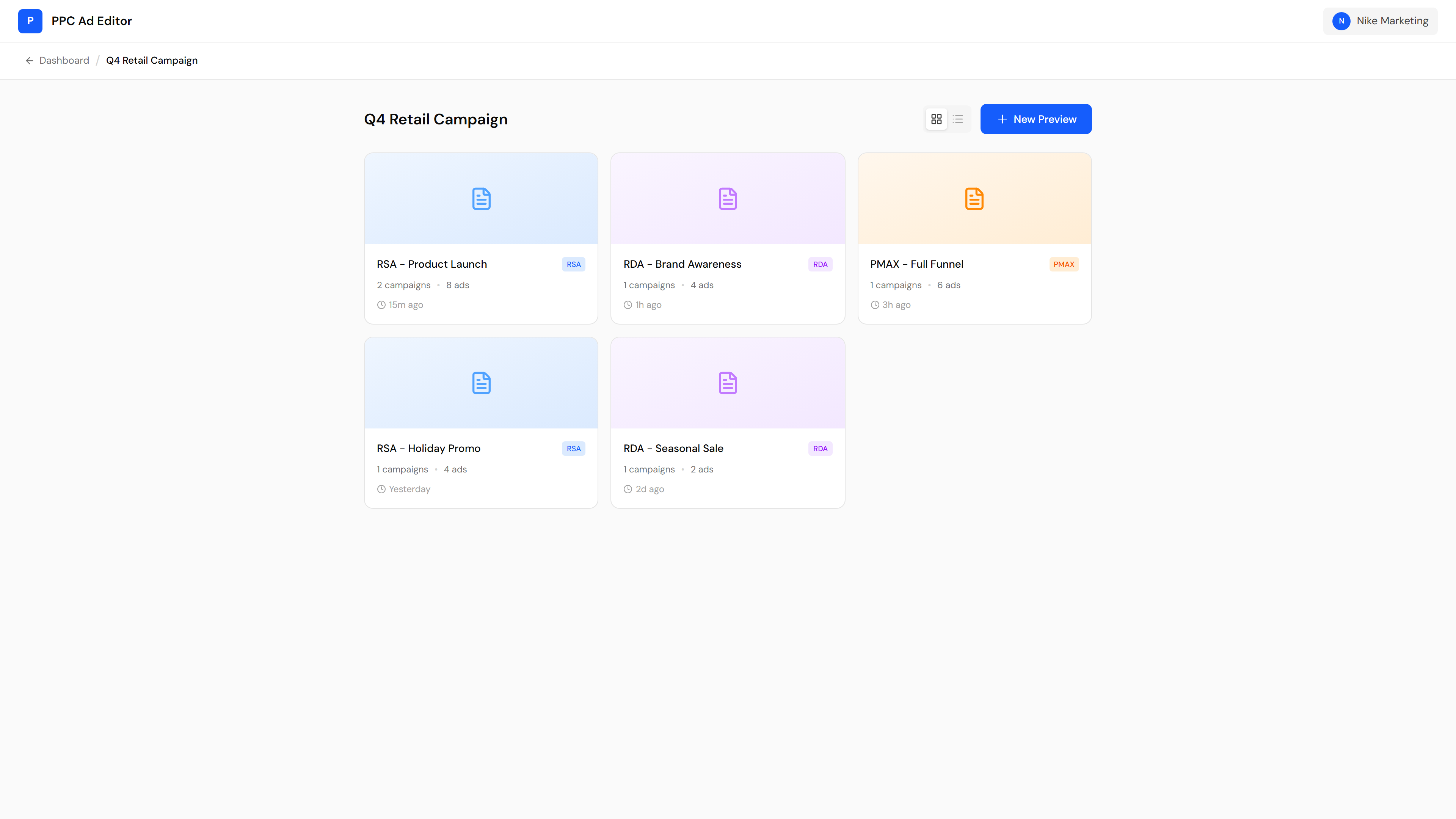
Preview & share online
Generate easy-to-read mockups with a single link. Share an entire campaign build with clients, stakeholders or your team, with no login required for them.
- Share via secure public link
- Viewable on any device
- No more email attachments
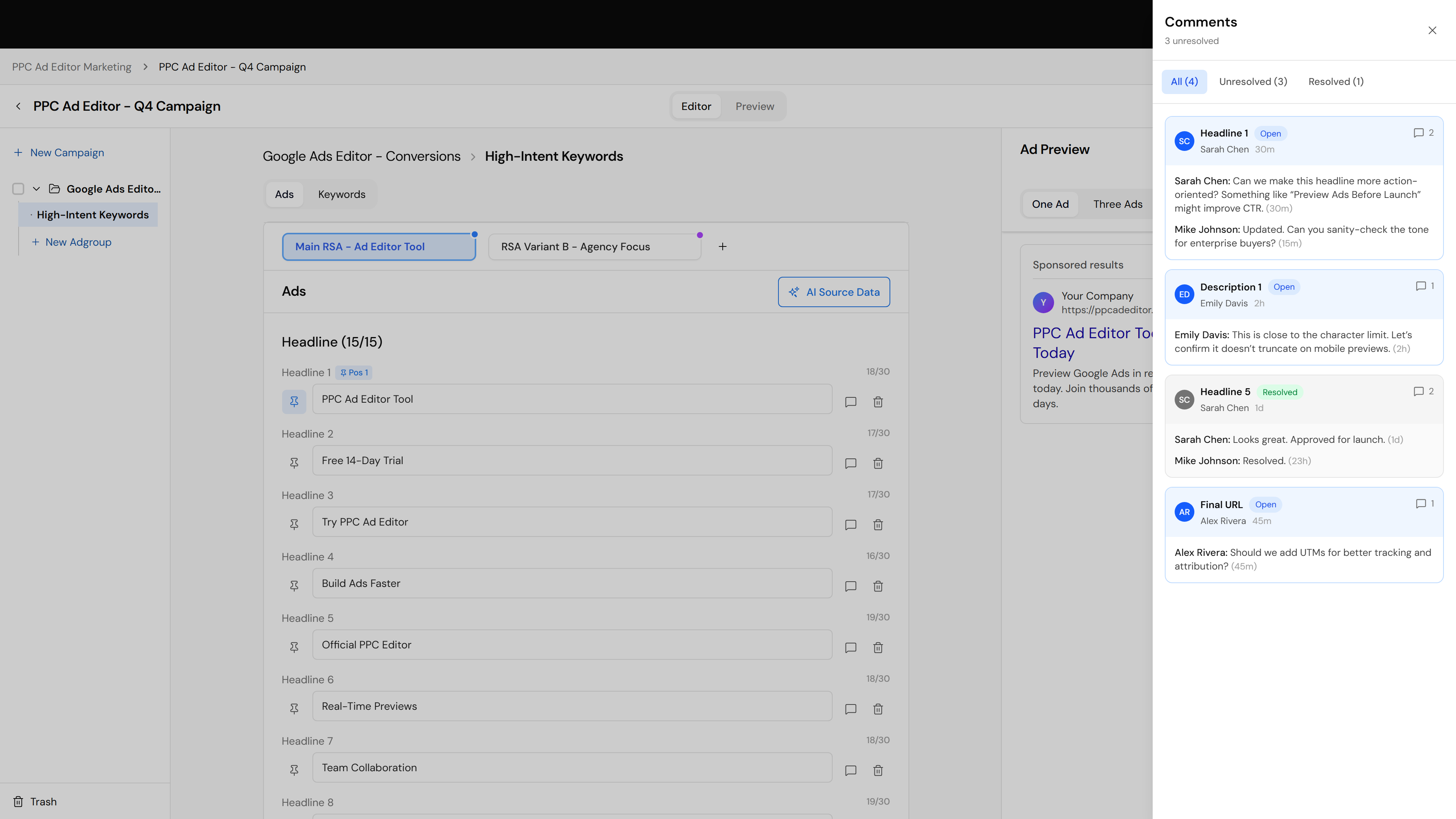
Collaborate & get feedback
Stop the email threads. Clients comment, approve or request changes directly on the mockup. Real-time notifications keep everyone in the loop.
- Comment on specific ads
- Approve / reject status tracking
- Reviewers propose edits you apply in one click
Mobile ad preview
See what your mobile ads look like. The mobile preview catches truncation and formatting issues before you spend a dime.
- Accurate mobile vs desktop rendering
- Check headline truncation
- Verify ad extension display
Watch a Google Ads mockup come together
A two-minute walkthrough: the same responsive search ad as a spreadsheet, then as a mockup on a Google results page, sent to the client as one link. The client opens it with no login and clicks through the combinations. On Studio, the paid plan, they approve it on the ad.
Six stages from kickoff to a launched, client-approved campaign
This is the workflow the whole product is built around. Teams that run all six stages get sign-off in days instead of weeks — with a client who watched it happen.
Brand setup
Add your client’s business name, logo and real URL. Every preview downstream looks like their actual ad — not a demo.
Logo · Display URL · Brand colors
Build the real campaign
Real structure: campaign → ad group → ads. Import a CSV, paste keywords or sync from Google Ads — or draft from scratch with AI.
CSV import · Keyword paste · Google Ads sync · AI drafts
Make it client-ready
Add images, sitelinks, callouts and keywords per format. Optional polish — never a gate between you and sending.
Extensions · Images · Keywords
Send to client
One share link with commenting on by default. No client logins. You’re notified the moment they open it.
Share link · Comment access · Notify on view
Client feedback
Comments land on the exact headline the client clicked, and the client can type the fix as a proposed revision. No email threads to chase.
Inline comments · Proposed revisions
Approve & launch
The client approves on the ad, and their name and the time are recorded. Then export a file for Google Ads Editor and import it.
Approval record · Export for Google Ads Editor
Google Ads mockup generator: frequently asked questions
What is a Google Ads mockup generator?
A tool that shows a Google ad the way it will look before it runs. You type the headlines, descriptions and assets, and the mockup lays them out the way Google shows them, so a client can review the ad instead of a spreadsheet.
Which Google ad formats can I mock up?
Responsive search ads, responsive display ads, Performance Max and Demand Gen. PPC Ad Editor also covers Meta, LinkedIn, YouTube, ChatGPT, X, Reddit, Microsoft and Programmatic, 15 formats in all. Every format is on the free plan.
How do I make a Google Ads mockup for a client?
Pick the format, type the headlines and descriptions, or pull a running Google Ads account into a preview, and check the ad on desktop and mobile. Then send one link. The client opens it with no login and comments on the exact headline. On Studio, the paid plan, they can approve the ad there too.
Can I show the client different responsive search ad combinations?
Yes. Shuffle through headline and description combinations and show one, three or five ads, so the client sees a range of combinations instead of a single example.
Can I send the approved mockup to Google Ads?
You export a file for Google Ads Editor (Search, Display and Performance Max) and import it there. PPC Ad Editor doesn't push or publish ads to Google Ads, and pulling an account into a preview changes nothing in Google Ads.
Can I start without paying?
Yes. You can start free, with no card. The free plan includes building and sharing in every format.
Ready to launch faster?
Join the PPC pros who’ve ditched spreadsheets for good. Build your first Google Ads mockup today.
Unlimited sample exploration · Free includes every format · Studio from $149/mo